

AI has made building an app almost trivially easy – describe what you need, and within minutes you have something impressive running on your laptop.
For that matter, somewhere in your organisation, someone has probably already built an app with AI. It could be a project tracker put together over a lunch break, or a customer lookup tool a frustrated sales manager asked a chatbot to write – and it probably works. It’s probably also sitting in a personal account, connected to a trove of company data that nobody in IT even knows it has access to.
The problem is what happens when that useful little app needs to leave the chat window or IDE it was built in and become something other people can actually use. Where do you host it? How do you share it safely? And isn’t this all just starting to feel like shadow IT with a slicker demo?
This is the gap Copilot Managed Runtime is designed to close. Microsoft isn’t trying to stop people building apps – it’s quite the opposite, in fact, with Copilot Code now embedded directly alongside Cowork in the Copilot experience! Instead, the ambition is to make building software feel as ordinary as drafting an email or tidying up a PowerPoint – with Copilot Managed Runtime giving it an official place to live, governed by the policies already in place across your Microsoft tenant.
Below, we take a look at the different ways you can build apps with Copilot Managed Runtime, how it keeps IT in control, and the question Microsoft hasn’t fully answered yet: cost.
What does Copilot Managed Runtime actually do?
For our purposes, the ‘runtime’ is the managed environment and services an app relies on once it moves beyond local development – the hosting, sign-in, data connections, and the rest of the plumbing that turns code files on a developer’s computer into something users can actually navigate to and open.
Too often, this is the big hurdle of AI-based development – getting something impressive running on localhost:3000 is one thing, but getting it securely hosted, connected to real business data rather than your browser cache, and accessible to anyone other than yourself is another – and deploying it inside a business, where it also has to stand up to security, compliance, and audit standards is quite another thing altogether!
In many ways, that is exactly the problem Power Platform solved years ago, now adapted for the age of AI. A maker building a canvas app doesn’t need to devise their own authentication framework, and probably doesn’t even need to know what ‘penetration testing’ means – the identity infrastructure and security assurances underneath it are Microsoft’s problem, rather than something every maker has to build and validate for themselves.
The new Copilot Managed Runtime is Microsoft applying that same model to a much broader set of AI-generated software. Once an app is published – whether it came from Cowork, Copilot Code, Copilot Studio, or a developer working against the SDK – it runs as a ‘managed app’ inside your Microsoft 365 tenant. Users sign in with Entra ID, the app reaches business data through Power Platform’s governed connectors, and your existing organisational policies on sharing, conditional access, and data loss prevention automatically continue to apply.
How do you build with it?
Pretty much however you like – business users can simply ask Copilot Cowork or the new Copilot Code, makers can use Copilot Studio, and developers can work in VS Code (or even a third-party tool like Lovable) using the new Copilot Managed Runtime SDK.
That marks a real departure from Microsoft’s approach to app-building over the last year, which has largely been a steady stream of new build tools: from Power Apps Plans to Code Apps, generative pages, the Power Apps ‘vibe’ experience, the App Builder agent, and then ‘managed apps,’ often overlapping, evolving quickly, and occasionally being overtaken by the next big thing before they had even finished rolling out globally.
Rather than adding yet another authoring experience to that list, Microsoft has stepped back and created the common platform beneath them: one that can take code written in several different places and turn it into the same kind of managed application inside your Microsoft tenant.
In Microsoft’s own words: ‘Build where you want, run with confidence.’
Copilot Cowork is the more business-user-friendly entry point. Cowork is designed for work you delegate rather than individual prompts, and building an app is now just another one of the things you can ask it to do.
Then there is Copilot Code, which Microsoft has just added directly into the main Copilot experience – positioning apps as just another everyday work output. Here, the intent is more explicitly to build software: describe what you want to achieve and Copilot builds the app for you, using the same underlying technology as GitHub Copilot without requiring you to work in an IDE.

A view of the new Copilot Code experience – rolling out to Frontier at the end of September, with broader availability expected over the following weeks.
Copilot Studio is another entry point, aimed more at makers and organisations that want a structured place to build and extend these experiences.
Meanwhile, professional developers can work directly with the new Copilot Managed Runtime SDK and CLI using normal web development tools. Microsoft has already released a GitHub Copilot plugin, so a developer can build and edit an app in VS Code with their preferred coding agent, then publish it directly into Copilot Managed Runtime.
That model also extends beyond Microsoft’s own authoring tools – even a compatible third-party AI development platform like Lovable can use the Copilot Managed Runtime SDK to publish an application into the same managed runtime inside a customer’s Microsoft tenant. From there, users access it with their normal work or school account, the organisation’s existing policies around data and connectors still apply, and IT can see and manage it through the same Microsoft 365 admin experience as an app built in Cowork or Copilot Studio.

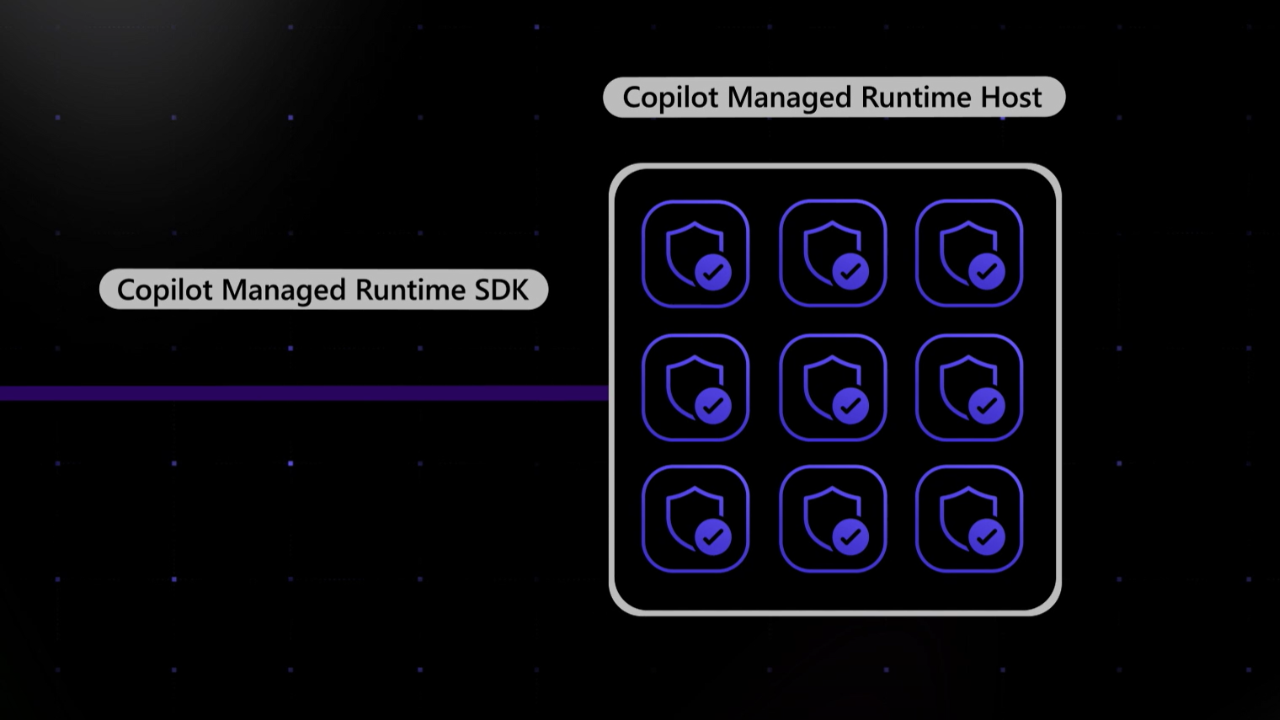
Copilot Managed Runtime separates the authoring experience from the underlying platform, allowing apps built in Copilot, VS Code, GitHub Copilot, or third-party tools to use the same CLI, SDK, and managed host.
How does governance work?
The sharing model for apps hosted on Copilot Managed Runtime is simple and intuitive; an app is private to its owner until it’s shared, either with individually-named users and groups, or more broadly across your organisation with a People in your organisation share link. Administrators can control whether organisation-wide sharing is available, as well as whether makers can share apps separately with guest users. Permissions come in two levels – Play for people who just need to use the app, Edit for colleagues building it with you – and both are easily revocable at any point.
End users will be able to easily find and launch all apps they have access to in the new Managed Apps portal, currently in preview. IT and governance teams can view a centralised inventory of all apps hosted on Copilot Managed Runtime on the new Apps page in the Microsoft 365 admin centre, alongside out-of-the-box usage analytics for tracking adoption and operational health metrics with alerting so issues can be picked up and resolved.

A preview of the new Managed Apps portal at managedapps.cloud.microsoft.
Managed Apps also come with application lifecycle management (ALM) built in from day one, with the platform automatically provisioning and managing a Git repository by default (although teams already standardised on GitHub can bring their own). That means the app a business user starts in Cowork is already under source control, and can later be picked up by a developer in VS Code as it grows more complex or sees wider adoption across the business.
Where does it add value?
Most organisations are full of small problems that are too specific for an off-the-shelf product, but too minor to justify a traditional development project.
Microsoft’s ongoing bet is that AI changes the economics of that completely – if creating the first version of an app becomes as easy as describing what you need, and the platform underneath already takes care of identity, hosting, data access, and governance, then a much larger number of those problems suddenly become worth solving.
Copilot Managed Runtime appears to be the culmination of this concept: making software itself a more disposable, everyday form of work, created as and when it’s needed by whoever is closest to the problem.
However, software is only truly disposable if it’s cheap enough to throw away. Microsoft has now documented the basic licencing model, and one immediate consequence is that AI-assisted authoring has a measurable cost attached to it: experiences such as Copilot Code and Cowork consume Copilot Credits from the moment you start building. Once an app is up and running, users with Power Apps Premium are covered by their existing licence, while everyone else can be covered through usage-based Copilot Credits – in effect, introducing a pay-as-you-go route to premium connectors and Dataverse, without having to license every occasional user for Premium.
While this is an interesting shift for anyone who has ever shelved a Power Apps idea because of the licensing bill, consumption-based billing also means there’s no longer a simple answer to what an app costs – and it’s worth bearing in mind that the same AI tools that are making citizen development more accessible are also making traditional development considerably faster.
The question, then, is not whether AI can build these apps – because it clearly can! – but where this new model makes commercial sense alongside Power Apps and more traditional web development. Exactly where that boundary falls may only become clear once we get a picture of what real-world Copilot Credit consumption looks like in practice.
If you’re trying to work out where all of this fits in your own organisation, feel free to get in touch – our Business Applications & Insights team would be happy to help.
Last updated 13 Oct 2026
About the Author: Morgan A

Table of contents
Related insights


Get Industry Insights
Subscribe to stay up to date with Microsoft 365 news and technology